
Forgetting a single pill might seem like a small mistake, but when you're managing a chronic condition, those missed doses add up quickly. In fact, the World Health Organization notes that about 50% of people with chronic illnesses struggle to take their meds exactly as prescribed. Whether it's a hectic morning or just a lapse in memory, missing medication can lead to hospital visits or a sudden spike in symptoms. Fortunately, we've moved past the era of relying solely on plastic pill organizers. Today, medication adherence apps is a category of digital health interventions designed to improve patient compliance through smartphone-based reminders, tracking, and education. These tools turn a smartphone into a personal health assistant, ensuring that your treatment plan actually happens in real life, not just on paper.
Why digital tools beat the old-school pill box
Most of us started with the classic seven-day plastic organizer. While they help you sort your pills, they can't tell you when to take them, and they certainly don't alert you if you forgot a dose from three hours ago. Electronic medicine boxes, like MedMinder or Hero, offer a high-tech upgrade by tracking when a drawer opens, but they are expensive-often costing between $30 and $50 per month.
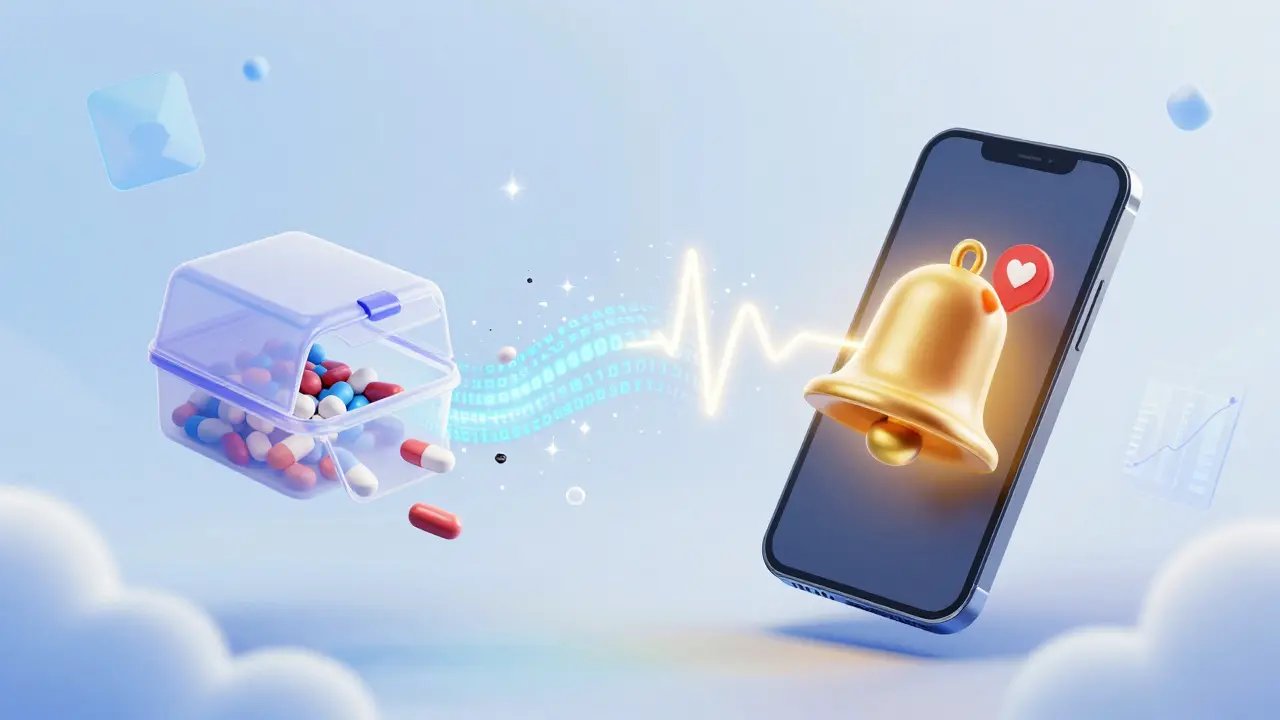
Apps change the math. Since almost every adult in the US already owns a smartphone, the cost of entry is basically zero. Research shows that apps are significantly more effective than simple SMS text reminders. In studies focusing on diabetes management, apps showed a much higher impact on patient outcomes than a basic text alert ever could. They offer a multimodal approach: you don't just get a beep; you get a log of your progress and educational content to explain why the medication matters.
| Feature | Traditional Pill Box | Electronic Boxes | Adherence Apps |
|---|---|---|---|
| Cost | Very Low (One-time) | High (Monthly subscription) | Low to Free |
| Active Alerts | None | Loud alarms/lights | Customizable notifications |
| Data Tracking | Manual/Visual | Automatic | Digital logs & dashboards |
| Portability | High (but bulky) | Low (Stationary) | Very High (on phone) |
The core features you should look for
Not all health apps are created equal. If you're shopping for a tool to manage your health, look for these specific capabilities. A high-quality app should include a customizable reminder system, which allows you to set specific alerts for different times of the day. This is the most critical feature, found in over 92% of the top-rated tools.
Beyond the alarm, check for a digital medication log. This is your "paper trail" that proves you took your dose, which is incredibly helpful when you're talking to your doctor and they ask, "Have you been taking this consistently?" You can simply show them your dashboard. Other valuable additions include interaction checkers-which warn you if two meds might clash-and educational libraries that explain side effects and usage tips in plain language.
For those managing very complex regimens, such as HIV treatment where a 95% adherence rate is often necessary for success, look for apps with EHR (Electronic Health Record) connectivity. Some leading solutions use HL7/FHIR standards to sync your data directly with your pharmacy or doctor's office, making refill management automatic.
How to get started without the headache
Setting up a medication app usually takes between 10 and 25 minutes, depending on how many prescriptions you have. If you're not a "tech person," don't let that intimidate you. Most interfaces are designed for a 6th-grade reading level and require only basic navigation skills.
- Download and Profile: Install the app and enter your basic health profile.
- Input Your Regimen: Enter the name of each medication, the dosage (e.g., 20mg), and the exact time it needs to be taken.
- Set Your Alerts: Choose a notification sound that you'll actually notice. Avoid using a sound similar to your email or text alerts, or you'll start ignoring it.
- Configure "Snooze" and Focus: Use your phone's focus modes to ensure health alerts break through "Do Not Disturb" settings if they are critical.
A pro tip for older adults: if the initial setup feels overwhelming, ask a family member or pharmacist to help. While younger users typically get the hang of it in 18 minutes, those over 65 often take closer to 42 minutes to feel fully comfortable with the interface. Once it's set, the daily maintenance is just a single tap to confirm you've taken your dose.
The "Notification Fatigue" Trap
There is a downside to these tools: the danger of burnout. About 32% of users report "notification fatigue," where the constant buzzing of the phone becomes annoying, leading them to swipe the alert away without actually taking the pill. Even worse, some studies show that adherence can drop by as much as 40% after the first three months as the novelty wears off.
To prevent this, don't over-schedule. Only set reminders for the medications that are absolutely time-sensitive. For a daily vitamin, a single morning alert is enough. For critical blood pressure or insulin meds, use a more persistent alert. Some newer AI-powered tools, like the "Adherence Coach" found in Medisafe, are now using machine learning to predict when a user is likely to miss a dose and adjust the reminder style to be more effective.
Privacy and Safety in the Digital Age
When you put your medical history into an app, you're trusting that company with sensitive data. You should check if the app is HIPAA compliant, especially if the app shares data with your doctor. Look for end-to-end encryption and biometric authentication (like FaceID or fingerprint scans) to keep your records private.
It's also important to know the regulatory status of your app. Most adherence tools fall under "general wellness" exemptions from the FDA. However, if the app actually calculates your dose-such as an insulin dosing app-it is classified as a medical device and subject to much stricter safety regulations. Always ensure the app you use for critical dosing has the proper regulatory clearances.
Are these apps free to use?
Many of the most popular apps offer a robust free version that includes basic reminders and logging. Premium versions, which can cost around $5 per month, typically add advanced features like 24/7 chat support, detailed reports for your doctor, and more advanced pharmacy integrations.
What happens if I don't have a smartphone?
If a smartphone isn't an option, traditional tools like timed pill dispensers or a simple alarm clock paired with a physical pill organizer are the best alternatives. Some healthcare providers also offer SMS-based reminder services, though they aren't as comprehensive as full-featured apps.
Can these apps tell me if my meds interact?
Some apps include interaction checkers, but you should never rely on an app as your sole source of safety information. Always verify medication interactions with a licensed pharmacist or your prescribing physician.
How do I keep from ignoring the alerts?
The best way to avoid notification fatigue is to use a unique, distinct sound for your medication alerts that differs from your social media or email pings. Additionally, try to pair your medication time with a daily habit, like brushing your teeth, so the app acts as a backup rather than your only trigger.
Do these apps actually work for older adults?
Yes, but the initial setup can be a hurdle. Research shows that adults over 65 take longer to learn the interface (about 42 minutes compared to 18 minutes for younger adults). With a bit of help during the first 20 minutes of setup, most seniors find the apps highly beneficial for maintaining their health.
Next Steps for Better Adherence
If you're ready to move toward a digital system, start by listing all your current medications and their exact timing. This makes the app setup process much faster. If you have a complex regimen, bring the app to your next doctor's appointment and ask if they can sync with your data. For those who struggle with tech, consider a "hybrid" approach: use a physical pill box for the actual sorting and a simple app for the reminders.
Write a comment